


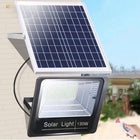


Why Does My Solar Motion Sensor Light Keep Turning On by Itself?

Quick Answer
A solar motion sensor light usually turns on by itself because the sensor is detecting real movement or a changing infrared pattern inside its coverage zone—not because the light has decided to activate randomly. Common causes include pedestrians, passing vehicles, pets, insects close to the sensor, moving vegetation against a sun-warmed background, reflected heat, an overly broad detection zone, or the wrong operating mode. First confirm the selected mode, then observe the detection area after dark and remove one possible trigger at a time. If the light continues activating in a completely still scene after a full charge and reset, inspect it for moisture, physical damage, or an electronic fault.
Why This Happens Even When No Person Is Near the Light
Most compact outdoor motion lights use a passive infrared sensor, usually called a PIR sensor. A PIR sensor does not identify a person, recognize a face, or understand intent. It responds to changes in infrared radiation moving across its detection zones.
The U.S. Department of Energy’s review of occupancy-sensor testing explains that PIR sensors use motion as a proxy for occupancy and detect changes in infrared radiation. That distinction matters: a warm animal, vehicle, exhaust plume, or nearby object moving across a changing thermal background can produce a valid sensor response even when no person is approaching the door.
Wind itself is not an infrared target. However, wind can move branches, tall grass, hanging decorations, covers, flags, or other objects through a scene containing sun-warmed walls, pavement, vehicles, or equipment. The resulting infrared change may be enough to activate a sensitive outdoor sensor.
Key Takeaways
- Confirm the lighting mode before treating an activation as a sensor fault.
- PIR sensors react to changes in infrared energy, not only to people.
- Movement across the sensor is often detected more readily than movement directly toward it.
- Road traffic, sidewalks, pets, branches, insects, hot exhaust, and reflective surfaces can create unwanted activations.
- A wider or longer detection zone is not always better for a residential entrance.
- Repeated activation increases battery use, so sensor placement and solar charging should be checked together.
Key Decision Factors
1. Is the light actually in a motion-only mode?
Some solar security lights provide several modes: dim light that becomes brighter after motion, motion-activated bright light, constant strong light for a limited period, and constant low light for a longer period. A dim background level or timed constant mode can be mistaken for unwanted motion activation.
Test the light after full darkness, because the daytime charging state or ambient-light sensor may prevent normal nighttime behavior during a daytime test. Change only one setting at a time and allow the light to complete its current activation cycle before judging the result.
2. What lies inside the full detection zone?

Do not evaluate only the ground immediately below the fixture. Consider the sensor’s complete horizontal and forward coverage. A light aimed at a front walk may also see part of a public sidewalk, neighboring driveway, road, gate, air-conditioning unit, or frequently used pet route.
A sensor listed for a 16–26 ft (5–8 m) range can extend beyond a short porch or narrow side yard. The quoted range is not a guaranteed boundary; actual detection depends on target size, direction, speed, temperature contrast, mounting position, weather, and surrounding surfaces.
3. Is movement crossing the sensor rather than approaching it?
PIR coverage is commonly divided into multiple detection zones. Movement crossing from one zone to another can create a stronger change than slow movement directly toward the sensor. A sidewalk running sideways across the fixture may therefore produce more activations than the front path the light was intended to monitor.
If possible, rotate or reposition the fixture so the intended approach crosses a useful portion of the detection pattern while roads and neighboring paths remain outside it. Do not aim the entire sensor toward a public traffic corridor simply to maximize range.
4. Are plants, decorations, animals, or insects involved?

Trim branches, ornamental grass, and vines that move near the sensor. Secure flags, seasonal decorations, furniture covers, hanging planters, and lightweight gate materials. Watch for cats, raccoons, deer, or other animals using the same route at night.
Insects close to the sensor or light can appear much larger to the detection system than they do from the ground. Clean the sensor window and surrounding housing gently. Do not use an abrasive cleaner or pressure washer.
5. Are changing heat sources in view?
Avoid aiming the sensor toward vehicle exhaust, dryer vents, outdoor heating equipment, HVAC outlets, highly reflective metal, or pavement that experiences rapid heating and cooling. A parked vehicle entering with a warm engine can activate the light even if no pedestrian enters the area.
Direct sun on the sensor during the day is not itself a nighttime motion event, but strong temperature changes and poor placement can make outdoor behavior less predictable. Re-evaluate the scene at several times of night and after weather changes rather than relying on one short test.
6. Is the solar panel receiving enough usable light?
Unwanted activation and poor charging can combine into a second problem: the light may work early in the evening but run out of stored energy later. The U.S. Department of Energy’s photovoltaic primer notes that heat, dirt, and shade can reduce solar conversion efficiency.
Clean the panel, remove new shade where practical, and check seasonal shadows from rooflines and trees. Charge the light under suitable direct sunlight before repeating an overnight test. A fully charged test helps separate charging problems from sensor-placement problems.
Common Causes Compared
| Possible cause | Typical clue | Best first test | Likely response |
|---|---|---|---|
| Wrong operating mode | Light remains dim or constant without a clear trigger | Cycle through modes after dark | Select motion-only or dim-to-bright mode |
| Road or sidewalk traffic | Activations follow passing vehicles or walkers | Observe from a window without entering the zone | Turn or relocate the sensor away from public traffic |
| Animals | Low-level movement near fences, shrubs, or trash areas | Inspect tracks or use an existing outdoor camera | Narrow the useful zone or change mounting position |
| Vegetation or loose objects | Activations increase in wind | Temporarily secure or trim nearby moving objects | Clear the sensor’s near field |
| Insects or dirt | Irregular triggers with no distant movement | Inspect and gently clean the sensor window | Remove webs, insects, and surface contamination |
| Heat or reflective surfaces | Triggers occur near vehicles, vents, metal, or hot pavement | Temporarily change the aiming direction | Exclude the heat source from the detection zone |
| Hardware or moisture problem | Triggers continue in a verified still scene | Fully charge, reset, dry, and retest | Seek service or replace the unit if the fault persists |
Suitable and Unsuitable Use Cases
| Location | Suitable when | Potential problem |
|---|---|---|
| Back door | The sensor covers the private approach and steps | A pet door, nearby shrubs, or dryer vent sits inside the zone |
| Garage entrance | The zone covers the driveway edge and pedestrian approach | The sensor faces road traffic or warm vehicle exhaust |
| Side yard | The narrow passage has a defined entry direction | Fences, plants, or neighboring movement fill the sensor view |
| Patio | Short activations are needed for arrival or cleanup | Seating, pets, ceiling fans, covers, or nearby activity cause constant triggers |
| Public-facing post | The sensing area can remain within the property | The fixture continuously detects sidewalks, cyclists, and vehicles |
Common Mistakes
- Assuming every activation is electronic failure: Observe the entire detection area before replacing the light.
- Testing only during the day: The ambient-light control may prevent normal nighttime behavior.
- Maximizing detection distance: Excess range often includes traffic and neighboring activity that does not need illumination.
- Changing several variables at once: You will not know whether mode, aim, vegetation, or charging solved the problem.
- Blaming wind alone: Look for the object or thermal background that the wind is changing.
- Ignoring accumulated battery use: Frequent activations can shorten usable runtime even when the sensor is functioning correctly.
- Treating IP65 as submersible: IP65 does not make a fixture suitable for flooding, pressure washing, or damaged seals.
Practical Troubleshooting Checklist
- Confirm the selected lighting mode after full darkness.
- Allow the current activation period to end before testing again.
- Observe the area without walking into the detection zone.
- Note the time and weather of each unwanted activation.
- Check roads, sidewalks, pets, wildlife, gates, branches, decorations, vents, and vehicles.
- Clean the sensor window and solar panel gently.
- Remove or secure one possible trigger at a time.
- Aim the sensor away from public traffic and neighboring property.
- Give the panel a full charging opportunity before an overnight retest.
- Inspect mounting screws, housing, seals, and visible damage.
- Seek service if the light still activates in a verified still scene after a reset.
Use the Smallest Effective Detection Zone

The objective is not to detect everything. It is to illuminate the intended entry, step, gate, or driveway edge only when useful. DarkSky’s responsible outdoor-lighting principles recommend lighting that is useful, targeted, no brighter than necessary, controlled, and warmer-colored where possible. Motion control supports those principles only when the sensor zone and beam remain on the intended property.
After adjusting the sensor, check the light from the sidewalk, road, primary windows, patio, and neighboring-property direction. Confirm that the illuminated area does not create unnecessary glare or spill. For related placement considerations, see How High Should You Mount a Solar Motion Sensor Wall Light?
Product Recommendation
The NoxLumin 112 LED Solar Wall Light with Motion Sensor is relevant to this troubleshooting guide because it combines a 120° PIR sensor, a listed 16–26 ft (5–8 m) detection range, four operating modes, and an integrated solar charging system. Its Warm light and White Light variants are currently available for sale.


The product is listed with a 2200mAh battery, a 1.5W/5V monocrystalline solar panel, a 4–6-hour charging estimate under direct sunlight, IP65 protection, and dimensions of 7.5 × 6.0 × 1.8 in (190 × 153 × 45 mm). The motion-triggered light remains active for approximately 13–15 seconds per trigger and extends when motion continues.


Those figures describe the product’s intended operating range, not a guaranteed boundary or overnight result. Detection and runtime vary with placement, target movement, thermal contrast, sunlight, weather, operating mode, activation frequency, and battery condition. Related outdoor products can be reviewed in the Solar Flood & Security Lights and Motion Sensor Solar Lights collections.
Frequently Asked Questions
Why does my solar motion light turn on when nobody is there?
Can wind trigger a PIR solar motion sensor?
Can rain or snow make a solar motion light turn on?
Why does my solar motion light keep detecting cars on the street?
Do frequent motion activations reduce solar-light runtime?
Should I replace a solar motion light that keeps turning on?
Where should a solar motion sensor be aimed?
Get more NoxLumin guides on Google
Add NoxLumin as a Preferred Source to help Google show you more of our outdoor lighting guides in Search and AI experiences.


Leave a comment