




Why Are My Solar Lights Flickering? Mode, Charge, or a Fault?

Solar lights can flicker because a decorative effect is selected, the light is responding to changing ambient light, the stored charge is running low, or a connection or component needs attention. Start with the selected mode, then observe the light after full darkness and compare its behavior after a suitable charge. This sequence helps you choose between a simple setting change, better charging conditions, and support for a persistent problem.
Describe the Flicker Before Changing Anything
A flame-like shimmer, a deliberate color sequence, and an irregular interruption of a steady beam are different observations. Look directly at the light as well as at any recording: camera exposure can make a light look different on screen. Note whether the whole fixture goes dark, only the color changes, or the brightness rises and falls.
| What you observe | Start here |
|---|---|
| A warm, flame-like shimmer | Compare the flame effect with the lantern's steady setting. |
| Colors flash or fade in a repeatable sequence | Select steady Warm White or one fixed color. |
| On/off changes mainly around dusk | Observe again after full darkness and note nearby lights. |
| Steady light becomes intermittent later in the night | Compare the same setting after a model-appropriate charge. |
| Irregular flashing continues in a steady setting | Check the exterior condition and prepare a support record. |
| Flicker appears in a phone video, but the light looks steady in person | Compare the recording with direct observation before treating the recorded effect as a lighting problem. |
Before You Start
Use the normal controls and keep checks external. Stop testing a light with unusual heat, an unfamiliar odor, a distorted housing, leaking, or visibly damaged wiring. For lithium-ion devices, the U.S. Fire Administration's battery-safety guidance identifies these kinds of changes as reasons to stop use. If there is smoke or fire, move away and call emergency services. Leave sealed housings and battery packs closed; support can advise on the appropriate service route.
A Five-Step Check for Unexpected Flickering
-
Select a steady lighting mode
Identify the exact model and use its normal controls to select steady light. On a decorative lantern, compare the flame effect with steady warm light. On an RGB fixture, select Warm White or a fixed color instead of Flash or Fade. If your model has a labeled SOS setting, select its ordinary lighting mode for this check.
Watch whether the changing pattern follows the selected effect. A light that shimmers in flame mode and becomes stable in steady mode is responding to that selection. Keep the steady setting for the remaining checks so each observation is comparable.

-
Observe after full darkness
Check when the interruptions begin: during the light transition at dusk, immediately after switching on, or much later. If they occur mainly around dusk, observe again after the surroundings are fully dark. Note whether a porch light, vehicle headlights, or another fixture shines toward the light-sensing area.
Where practical, compare the same fixture with a nearby decorative light switched off, while retaining any lighting needed for safe movement. Record the result before changing its mounting position. For a motion-sensing model that repeatedly activates, use the separate motion-control checks rather than treating every activation as flicker.
-
Compare the same mode after a suitable charge
Check the panel's actual daytime exposure, including shade from fence caps, roofs, furniture, and plants. Give the light the charging conditions specified for its model, then observe the same steady mode after dark. Note when any interruption returns and how that compares with the earlier observation.
As model-specific examples, NoxLumin's RGB fence lights list about 4–6 hours in direct sunlight, while the vintage solar lantern lists about 6–8 hours. Use the instructions for your own configuration. For a USB-capable lantern, its supported USB charging method provides another way to prepare the comparison.

-
Inspect accessible exterior parts
Switch the light off using its normal controls before an exterior inspection. In dry conditions, look for a cracked panel, damaged cable jacket, an exposed joint, or a cable trapped against a sharp edge. On a separate-panel light, inspect the visible route between panel and lamp while leaving connections assembled.
Photograph anything damaged and send the details to support. Follow the product instructions for any connector adjustment; do not cut wiring, bypass a connector, or open the housing as part of this check. If reaching the installation requires unsafe access, have a suitable professional inspect it.

-
Match the result to your next step
Steady after a mode change: Keep Warm White, a fixed color, or the lantern's steady setting for continuous light.
Steady after better charging: Keep the improved daytime panel exposure, then check the same setting on another normal evening.
Still intermittent: Contact NoxLumin support for the next model-specific check.
Include the exact model, selected mode, recent charging conditions, when the flicker starts, and a short unedited video. State whether the interruption affects the whole light, only the color, or only the recorded image.
Apply the Mode Check to the Right Product
The controls matter more than the general label “solar light.” These current NoxLumin designs illustrate three different starting points:
-
Decorative lantern: The Vintage Outdoor Solar Lantern combines an LED flickering-flame effect with steady warm light. Choose the effect you want on a patio table or hanging hook; its USB backup charging is useful when preparing a charge comparison.


-
Color-changing fence accent: The 60-Lumen RGB & Warm White Solar Fence Light offers fixed colors plus Flash/Fade effects. Use its on-fixture button to select a steady setting before evaluating unexpected interruptions.


-
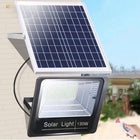
Separate-panel area light: The Outdoor Solar LED Floodlight with Separate Panel and Remote uses AUTO, brightness adjustment, and 3/5/8-hour duration controls. A timer ending the lighting session is different from repeated flashing during that session. Its included 16.4 ft (5 m) cable also makes the external cable route part of the inspection.


For choosing an atmosphere rather than diagnosing a problem, see our flame-effect versus steady-light guide. Browse Solar Porch & Patio Lights when you want a different combination of decorative effects and everyday controls.
Make the Charging Comparison Useful
Separate the charging observation from the nighttime observation. A lamp may be perfectly placed for an evening gathering while its top panel spends the afternoon under an umbrella. Check the panel when sunlight is available, then use the light after dark in a suitable location.
The U.S. Department of Energy explains that available sunlight varies with location, time, season, landscape, and weather. Record those conditions alongside the selected mode. A change after a sunnier charging period helps you identify a better panel position.
Change one factor at a time. Keep the steady mode while testing charging exposure; if you later compare brightness levels, record that as a separate test. For a dirty panel, follow our surface-specific solar-light cleaning guide. For repeated cloudy days, use our cloudy-weather charging guide to plan the observation.
Use a Different Guide When the Symptom Is Different
A fixture that remains completely dark needs a different comparison from a light that flickers. Our single path-light troubleshooting guide addresses that situation. For a PIR light that keeps coming on between visits, our motion-light activation guide focuses on its detection settings and surroundings.
Frequently Asked Questions
Is a flickering-flame solar lantern faulty?
Why do my RGB solar fence lights keep changing color?
Why does a solar light blink mainly around dusk?
Why does my solar light become intermittent near the end of the night?
Are the floodlight's 3/5/8-hour settings flashing modes?
Can I use USB charging to check a flickering solar light?
When should I stop troubleshooting and contact support?
Get more NoxLumin guides on Google
Add NoxLumin as a Preferred Source to help Google show you more of our outdoor lighting guides in Search and AI experiences.


Leave a comment