




Why Won’t My Solar Motion Sensor Light Turn Off? Check the Mode First

If your solar motion light drops to a faint glow after you walk away, check its mode before testing the sensor. On the NoxLumin aluminum wall light, dim-to-bright mode returns to 10% after about 30 seconds without motion. For complete darkness between visits, select off-to-bright. If the light goes dark and then comes back on, look for a second trigger. Other models may use a different delay.
Start With the Exact Symptom
“Won’t turn off” can describe four different behaviors. Separating them prevents a normal setting from being mistaken for a fault:
- It remains dim after motion ends. This is normal in a dim-to-bright mode, which keeps a low guidance light on after dark.
- It remains steadily lit at a lower level. A constant-on mode may be selected.
- It stays at full brightness for a fixed work period. Some fixtures include a temporary continuous high-output mode.
- It turns off, then brightens again. The sensor is probably receiving a new trigger; this is different from one timer that never ends.
Start timing after the last movement the sensor could detect. Walking back under the light to check it can start the countdown again. The U.S. Department of Energy’s guide to occupancy sensors (PDF) explains how the delay works.
Match the Behavior to the Selected Mode
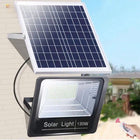
The 60-LED NoxLumin aluminum solar motion wall light shown here has four active modes plus manual Off. Use the table to check what you should see after the driveway clears.


| Selected mode | What happens after dark | What happens after motion stops |
|---|---|---|
| Dim-to-bright | Stays at 10% and rises to 100% after a trigger | Returns to 10% after about 30 seconds without detected motion |
| Off-to-bright | Stays off until motion raises it to 100% | Turns off after about 30 seconds without detected motion |
| Constant-on | Provides steady light at 25% | Does not change in response to motion |
| Manual continuous high output | Provides 100% output for one hour | Ends after the temporary one-hour period |
| Manual Off | Disables the light | Remains off until the setting changes |

To tell the two low-light settings apart, walk across the entrance. If the light brightens and later dims, it’s in dim-to-bright mode. If it stays at the same low level throughout, check whether constant-on is selected.
Test Whether the Light Turns Off After 30 Seconds
- Start with a charged light. If the battery may be low, give the panel about 6–8 hours of strong, direct sun before testing. Cloud cover and shade can extend charging time.
- Wait until dark. Test at the installed location with the panel exposed to normal nighttime conditions.
- Select off-to-bright. On this model, the control button cycles through the modes. Start from a known setting and use the order in the table above.
- Trigger the light once. Walk through the intended approach zone, then move completely outside it.
- Time it from outside the detection zone. Start a timer once you are clear. Watch for about 30 seconds without stepping back toward the door.
- Watch what happens next. If the light goes dark, the shutoff worked. If it goes dark and lights up again, repeat the test when the driveway and sidewalk are quiet.
If It Turns Back On, Inspect the Detection Zone
A PIR sensor responds to changes in infrared energy across its sensing zones. Movement across the field can produce a stronger response than slow movement directly toward the fixture. For the aluminum NoxLumin light, the listed sensing area is approximately 180° and 16.4–32.8 ft (5–10 m), but the effective result depends on mounting height, angle, temperature, approach direction, and nearby objects.
Watch from outside the sensor’s view. A person on the sidewalk, a pet crossing the driveway, or a passing vehicle at the edge of the sensing area may start a fresh cycle. If the light switches off and then comes back on, use the guide to repeated motion triggers to narrow down the cause.
Keep the sensing area on the entrance or driveway you want to cover. A fixture facing a busy sidewalk may catch passersby even when nobody is near your door. Aim the light toward your own approach, following DarkSky’s Five Principles for Responsible Outdoor Lighting.

Check Nearby Lights and Daytime Charging
Solar motion lights usually combine two controls: a light sensor that enables nighttime operation and a motion sensor that changes output. A porch light, soffit light, vehicle headlamp, or bright reflection near the panel can affect when the fixture considers it dark. That can look like irregular on-and-off behavior, but it is different from a motion timer that never releases.
The integrated panel also needs direct sun at the installed location. Deep eaves, trees, and roof shadows can reduce the energy available for the selected mode. Weak charging is more likely to shorten runtime than force a permanent-on state, but a fully charged test makes the result easier to interpret. Use the sunlight, mounting-height, and PIR-range checklist if the location itself is uncertain.
Do Not Use a Universal Reset Sequence
Solar wall lights and hardwired floodlights use different controls. For a self-contained solar fixture, use the manufacturer’s button sequence. A reset procedure that uses a wall switch applies only if the manufacturer specifies it for your model.
If a different model senses movement through radar, follow its own test procedure. Our comparison of PIR and radar solar lights explains how the two sensors respond to movement.
When the Fixture May Need Support
Stop troubleshooting if the control button no longer changes modes, the light remains at full output after a controlled off-to-bright test with no activity in the detection zone, or the housing, sensor window, mounting point, or seals are visibly damaged. Keep the enclosure closed. Opening the battery compartment or electronics can create a weather-sealing and safety problem.
When you contact NoxLumin support, include the model, selected mode, how much direct sun the panel received, and what you saw after you left the detection zone. “It went dark after 30 seconds, then lit up as a car passed” gives support more to work with than “it stayed on.”
Choose the Mode That Matches the Job
For a garage or driveway section where you want darkness between visits, off-to-bright is the clearest choice. For a back door or patio edge where a low guide light is useful, dim-to-bright provides orientation and raises output when someone approaches. Constant-on works for planned continuous light at a lower level, while the one-hour high-output mode suits a temporary outdoor task.
For a light you actually want to leave on, see whether a solar motion light can stay on all night.
Frequently Asked Questions
Why does my solar motion sensor light stay on all night?
How long should a solar motion light stay bright after movement?
Why does the light turn off and immediately come back on?
Can I reset every solar motion sensor light the same way?
Does weak charging make a solar motion light stay on?
Should a dim background light turn off completely?
When should I stop troubleshooting and contact support?
Get more NoxLumin guides on Google
Add NoxLumin as a Preferred Source to help Google show you more of our outdoor lighting guides in Search and AI experiences.


Leave a comment