


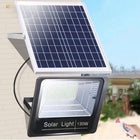


Solar Lights With Remote Control: What Can You Adjust?

Solar lights with remote control can offer manual on/off, brightness adjustment, white-light color-temperature adjustment, automatic modes and timer presets. The useful combination depends on what you want to change: soften a bright patio light, choose a warmer tone in a shed, or return a lamp to its normal after-dark routine. Start with that job, then check the controls on the exact model and variant.
A remote is especially convenient when a light is mounted overhead or when your preferred setting changes during an evening. A garage approach may need stronger light while you unload, followed by a lower setting. A shed pendant may need a different white-light tone for sorting tools than for a quiet break. These are separate decisions, even when their buttons share one handset.
Match the control to the change you want
| What you want to do | Function to look for | What to check before choosing |
|---|---|---|
| Switch the light for an occasional activity | Manual ON and OFF | How to return to the usual automatic routine afterward |
| Make an illuminated area more comfortable | Brightness adjustment | Whether the remote adjusts output and how the lamp responds at the intended location |
| Choose warmer or cooler white light | Color-temperature adjustment | The stated Kelvin range for that model |
| Let the lamp follow an after-dark routine | AUTO or an equivalent automatic mode | What that mode does on the selected product |
| Choose a limited operating period | Timer presets | The available durations and the instructions for starting them |
| Change how lighting responds to people approaching | Selectable motion modes | The behavior of the motion-sensor variant |
Brightness and white-light color temperature solve different problems
Use brightness adjustment when the amount of light needs to change. After placing the lamp, assess it from where you will actually sit, stand or walk. A setting that looks comfortable from the garage doorway may feel too bright from a chair facing the fixture. Aim the light at the useful area, then adjust its output from those everyday viewpoints.
Color temperature changes the appearance of white light. A lower Kelvin setting looks warmer; a higher setting looks cooler. For a shed pendant with both controls, choose the white-light appearance you prefer, then adjust brightness for the activity. A cooler color is not the same thing as a higher output.
DarkSky International's outdoor-lighting principles recommend directing light where it serves a purpose, using an appropriate low level, and switching it off when it is no longer needed. Remote dimming is a practical way to make that adjustment after a busy part of the evening.
ON, OFF and AUTO: a specific NoxLumin example
Button names make more sense when you connect them to an actual routine. On the NoxLumin separate-panel floodlight in the 300-LED configuration, the three controls have these roles:
- AUTO: the system charges during the day and turns the lamp on automatically after dark.
- ON: manually forces the lamp on, including during daylight when required.
- OFF: turns the lamp off and leaves automatic nighttime operation disabled. Select AUTO again to restore the automatic routine.
A timer answers another question: how long you want the light to operate. This floodlight provides 3-, 5- and 8-hour selections alongside brightness controls. If your priority is a particular clock time for shutoff, the separate guide to solar-light timers and fixed off times explains what to look for.
Three product choices for different places
| Decision | 300-LED floodlight | Timer Control pendant | Solar COB Rope Light Kit |
|---|---|---|---|
| Lighting job | Directed area lighting for a garage approach, patio or yard | Overhead lighting for a shed, garage or covered work area | Continuous accent lighting along patio edges, railings or garden borders |
| Light output and appearance | Approximately 3,000 lumens | Up to 800 lumens | A smooth, continuous line in Warm White or White, chosen when ordering |
| Useful remote adjustments | Brightness, manual ON/OFF and AUTO | Brightness, 2700K–6000K white-light color temperature and AUTO | Manual ON/OFF |
| Timer presets | 3, 5 or 8 hours | 3, 5 or 8 hours | 5, 8 or 10 hours |
| Unlit connection cable | 16.4 ft (5 m) | 16.4 ft (5 m) | Choice of 16.4 ft (5 m) or 32.8 ft (10 m) |
For an outdoor activity area: 300-LED separate-panel floodlight
The 300-LED NoxLumin floodlight provides approximately 3,000 lumens, a separate 6W solar panel and remote brightness adjustment. It suits a garage approach, patio or yard zone where you want to direct area lighting and adjust it as your activity changes.
Its separate panel lets you choose the lamp position for the area being lit while placing the panel for daytime sun. For this product, the connecting cable is 16.4 ft (5 m). Use the remote to refine output after aiming the lamp; judge the result from the activity area and nearby seating.


For overhead shed lighting: split-design pendant, Timer Control variant
The NoxLumin split-design solar pendant with Timer Control offers up to 800 lumens, remote dimming and a 2700K–6000K white-light range. Its AUTO nighttime operation and 3-, 5- and 8-hour presets suit an evening work or storage session under a roof.
The lamp can hang in a shed, garage or covered work area while its separate panel remains outdoors. This model also has a 16.4 ft (5 m) connecting cable. Place the overhead light around the task, then use brightness and color-temperature adjustment to find a comfortable combination at the bench or storage area.
If responding to movement is central to your choice, compare the alternative control type in the motion-sensor versus timer pendant guide. The distinction is between the light's operating behaviors; remote adjustment is available with either pendant control type.


For patio and garden borders: Solar COB Rope Light Kit
The NoxLumin Solar COB Rope Light Kit creates a smooth line of light along railings, pergolas and landscape borders. Choose Warm White or White when ordering. Its automatic after-dark operation and remote ON/OFF controls suit decorative evening lighting; the remote offers 5-, 8- and 10-hour presets.
Choose the illuminated length to fit your layout. In this NoxLumin kit, 16.4–82.0 ft (5–25 m) configurations use one continuous rope-light run and do not need a 1-to-2 splitter. Configurations from 98.4–164.0 ft (30–50 m) use two runs and include the required 1-to-2 splitter, which connects both runs to the same solar power unit.
| Total illuminated length | Supplied rope-light runs | 1-to-2 splitter |
|---|---|---|
| 16.4–82.0 ft (5–25 m) | One continuous run in the selected length | Not needed |
| 98.4 ft (30 m) | Two × 49.2 ft (15 m) | Required and included |
| 114.8 ft (35 m) | 49.2 ft (15 m) + 65.6 ft (20 m) | Required and included |
| 131.2 ft (40 m) | Two × 65.6 ft (20 m) | Required and included |
| 164.0 ft (50 m) | Two × 82.0 ft (25 m) | Required and included |
Measure the route you want to illuminate, following its corners and gentle curves, then choose an available rope length that fits your layout. For a two-run kit, check each branch against its own route: the listed length is the sum of the two runs, rather than one continuous rope. Measure the separate, unlit cable route from the solar power unit to the rope connection point and choose 16.4 ft (5 m) or 32.8 ft (10 m); this cable length does not add illuminated length.
Secure the rope along straight sections or gentle curves, keep connectors sealed for IP65 outdoor use, and route the connection cable clear of walking areas.


Plan solar charging and remote access together
A good installation gives the solar panel, lamp and remote user suitable positions. The panel needs clear daytime sun. The lamp needs to face the area being lit. The person using the remote needs a practical place from which to send a command. Check all three before securing the installation.
For each of these separate-panel examples, measure the actual cable route around corners and along mounting surfaces. A straight-line gap uses less cable than a route that follows a wall and turns into a shed. Keep the route clear of moving doors and sharp pinch points, with connectors away from pooled water.

Try the remote from the place where you expect to use it, such as the garage doorway or shed entrance. Aim toward the remote-control receiver on the selected system and confirm that the selected function produces the intended response. Keep the handset in a dry, accessible place so it is available when you want to change the setting.
For a layout with several matching floodlights, test each lamp's response before final mounting. This reveals whether one command reaches more than the lamp you intended to change. It is especially useful when one fixture lights a working area and another serves nearby seating.
A short checklist before you choose
- Name your main adjustment: on/off, brightness, white-light color temperature, operating mode or duration.
- Match the exact variant: check the control type as well as the product name.
- Picture the routine: decide how you want the lamp to behave after a temporary manual change.
- Check the layout: allow for panel sunlight, the routed cable and the position from which you will use the remote.
Use those priorities to compare the Remote Control Solar Lights collection. The right choice is the model whose controls fit the changes you will make regularly, whether that means adjusting outdoor area lighting or setting comfortable overhead light in a shed.
Frequently asked questions
What can a remote control adjust on a solar light?
What is the difference between ON and AUTO on the NoxLumin separate-panel floodlight?
How do I restore automatic lighting after using OFF on the NoxLumin floodlight?
Can a solar light remote adjust both brightness and white-light color temperature?
Does remote control mean a solar light has a motion sensor?
Can one remote control more than one solar light?
Does every Solar COB Rope Light kit need a 1-to-2 splitter?
Get more NoxLumin guides on Google
Add NoxLumin as a Preferred Source to help Google show you more of our outdoor lighting guides in Search and AI experiences.


Leave a comment