


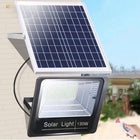


Solar Lights for a Mailbox: Which Mount Fits Your Setup?

For a wall-mounted mailbox, choose a solar wall light that fits above or beside the box and receives direct sunlight. For a standalone mailbox post, consider a post-cap light only when the exposed post top matches the cap and leaves its panel clear. In either setup, keep the mail slot, door, and flag free to operate, then choose controls for the way you collect mail.
This guide focuses on adding light around an existing residential mailbox. A useful result is a clearly defined mailbox area that still works easily for both you and your mail carrier.
Match the light to the job before choosing the mount
“Mailbox lighting” can mean three different things: making the mailbox easy to locate, illuminating an address, or helping you see while collecting mail. Decide which matters most. A decorative glow around a post may help identify the location, while a directional beam lets you choose a particular face or feature to illuminate.
If reading the address is your main concern, use our guide to making house numbers visible at night for numeral contrast and viewing-distance decisions. Here, the main question is which installation suits the mailbox you already have.
| Option | A good match for | Check before buying |
|---|---|---|
| Post-cap solar light | An exposed post top and a decorative finishing light | The cap’s actual inside dimensions, post shape, attachment method, and light distribution |
| Wall- or side-mounted solar light | A collection area beside a suitable independent fence or wall | Mounting footprint, fastening surface, projection, panel shading, and control behavior |
For a post cap, measure the part that must fit
Measure the exposed post top itself, including any sleeve or trim, and compare it with the cap manufacturer’s stated fit. Record both width and depth. A square post, round support, and decorative sleeve each need a matching mounting design.
Also check whether the mailbox or its support arm occupies the post top. A cap may have enough width yet sit beneath the box, where its panel would be shaded or its light hidden. The best candidate has both a clear attachment position and an open view of the daytime sky.
Keep the cap reachable for cleaning without disturbing the mailbox. Where the post top is unsuitable, check whether a nearby wall or fence provides a better mounting surface.
For a mounted light, check its footprint and projection
A nearby fence or wall can provide a stable mounting surface for lighting the collection area. Compare the full fixture dimensions with that surface, including how far the housing projects outward. Mounting-hole locations and the substrate’s fastening requirements matter as much as overall width.
A cardboard outline is a practical way to visualize the housing before drilling. Hold it at the intended position and open the mailbox door through its full travel. Include the raised flag and any rear collection door in the check. This reveals conflicts that a front-facing product photo can hide.
Choose the operating behavior around the task. Motion-responsive lighting suits a close approach to collect mail. A separate address or focal feature that needs earlier visibility calls for suitable steady operation or another identification solution. Decide this before choosing the fixture, so the light’s controls support the way you actually use the area.
Keep the mailbox easy to use
USPS mailbox installation guidance emphasizes clear carrier access. Its curbside guidance places the bottom of the mailbox or point of mail entry 41–45 in (104–114 cm) above the road, with the mailbox 6–8 in (15–20 cm) back from the curb; consult the local postmaster where curb conditions differ. These are mailbox placement references, not recommended lamp mounting heights.
For accessories, the USPS curbside mailbox standard requires that additions preserve delivery access and avoid safety hazards. Keep lighting hardware out of the door swing, flag travel, mail opening, and carrier approach. Before attaching anything to the mailbox itself, check the mailbox manufacturer’s instructions and applicable local requirements.
For a curbside location, evaluate the light from safe positions on your property. Keep the beam contained on the target and preserve road sightlines. DarkSky and the Illuminating Engineering Society’s lighting principles support targeted, low-level light used when needed. Apply that approach by choosing a mounting position that directs light onto the collection area and using the lowest useful output.
Two NoxLumin wall lights for mailbox collection areas
For remote adjustments: Solar Motion Sensor Address Light
The NoxLumin Solar Motion Sensor Address Light offers remote brightness adjustment and 3000K, 4000K, and 6000K light choices for a compatible wall or fence beside the collection area.
Normal Bright uses a 2200mAh battery; High Bright uses 6600mAh. The small housing measures 10.24 × 4.92 × 4.72 in (26 × 12.5 × 12 cm), and the large housing measures 11.02 × 5.12 × 4.92 in (28 × 13 × 12.5 cm), in width × projection × height order. Match all three dimensions to the available mounting space.


For an aluminum housing and selectable modes: Outdoor Solar Motion Sensor Wall Light
The NoxLumin Outdoor Solar Motion Sensor Wall Light combines a sandblasted, anodized aluminum housing, IP65 protection, an integrated panel, and PIR motion sensing. It suits a sun-exposed wall beside the mailbox approach where you want to choose between background and motion-triggered light.
| Configuration | Maximum output | Fixture width | Battery |
|---|---|---|---|
| 24 LED | 450 lumens | 4.53 in (11.5 cm) | 1500mAh |
| 48 LED | 900 lumens | 8.90 in (22.6 cm) | 3000mAh |
| 60 LED | 1,100 lumens | 12.05 in (30.6 cm) | 6000mAh |
For a compact collection point, consider the 24-LED version; compare the wider models when lighting a larger adjoining approach. All three housings are 3.11 in (79 mm) high and project 4.02 in (102 mm) from the wall. Check that projection against the mailbox lid’s full opening arc.
- Dim-to-Bright: background light between visits, with brighter light when motion is detected.
- Off-to-Bright: light on approach, suited to brief visits to collect mail.
- Constant-On: steady illumination for a collection area you want lit between visits.
- Manual Continuous High-Output: sustained brighter light when the task calls for it; Manual Off is also available.
Choose the mode for the hours and activity you need. Continuous high output uses more battery energy than intermittent motion-triggered operation.


Choose the address light for remote brightness and color-temperature adjustments, or the aluminum model for its metal housing and selectable operating modes.
Make the final choice with a short site note
Before ordering, write down the target, mounting surface, daytime sun exposure, and intended nighttime use. Add the measured post top or available wall space, then note any moving parts nearby. These details make it easier to compare the actual product dimensions and mounting design.
Use that site note to choose the mounting design first, then the size and operating mode.
Frequently asked questions
Can I add a solar light to an existing mailbox?
How do I know whether a solar post-cap light will fit?
Can I mount a solar wall light above a wall-mounted mailbox?
Will a glowing post cap also light the mailbox numbers?
Do I need two solar lights for one mailbox?
Should a mailbox light stay on or respond to motion?
Which mounted NoxLumin solar light should I choose near a mailbox?
Get more NoxLumin guides on Google
Add NoxLumin as a Preferred Source to help Google show you more of our outdoor lighting guides in Search and AI experiences.


Leave a comment