


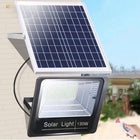


¿Por qué mi luz solar con sensor de movimiento se enciende sola?

Respuesta rápida
Una luz solar con sensor de movimiento generalmente se enciende sola porque el sensor está detectando movimiento real o un patrón infrarrojo cambiante dentro de su zona de cobertura, no porque la luz haya decidido activarse al azar. Las causas comunes incluyen peatones, vehículos que pasan, mascotas, insectos cerca del sensor, vegetación en movimiento contra un fondo calentado por el sol, calor reflejado, una zona de detección excesivamente amplia o el modo de funcionamiento incorrecto. Primero, confirme el modo seleccionado, luego observe el área de detección después del anochecer y elimine un posible desencadenante a la vez. Si la luz continúa activándose en una escena completamente inmóvil después de una carga completa y un reinicio, inspeccione si hay humedad, daños físicos o una falla electrónica.
Por qué sucede esto incluso cuando no hay ninguna persona cerca de la luz
La mayoría de las luces de movimiento compactas para exteriores utilizan un sensor infrarrojo pasivo, generalmente llamado sensor PIR. Un sensor PIR no identifica a una persona, no reconoce un rostro ni comprende intenciones. Responde a los cambios en la radiación infrarroja que se mueve a través de sus zonas de detección.
La revisión del Departamento de Energía de EE. UU. sobre las pruebas de sensores de ocupación explica que los sensores PIR utilizan el movimiento como un sustituto de la ocupación y detectan cambios en la radiación infrarroja. Esa distinción es importante: un animal caliente, un vehículo, una columna de escape o un objeto cercano que se mueve a través de un fondo térmico cambiante pueden producir una respuesta de sensor válida incluso cuando no hay ninguna persona acercándose a la puerta.
El viento en sí mismo no es un objetivo infrarrojo. Sin embargo, el viento puede mover ramas, hierba alta, adornos colgantes, cubiertas, banderas u otros objetos a través de una escena que contenga paredes, pavimento, vehículos o equipos calentados por el sol. El cambio infrarrojo resultante puede ser suficiente para activar un sensor exterior sensible.
Puntos clave
- Confirme el modo de iluminación antes de considerar una activación como una falla del sensor.
- Los sensores PIR reaccionan a los cambios en la energía infrarroja, no solo a las personas.
- El movimiento que cruza el sensor a menudo se detecta más fácilmente que el movimiento directamente hacia él.
- El tráfico rodado, las aceras, las mascotas, las ramas, los insectos, el escape caliente y las superficies reflectantes pueden crear activaciones no deseadas.
- Una zona de detección más amplia o más larga no siempre es mejor para una entrada residencial.
- La activación repetida aumenta el uso de la batería, por lo que la colocación del sensor y la carga solar deben verificarse juntas.
Factores clave de decisión
1. ¿La luz está realmente en modo solo movimiento?
Algunas luces de seguridad solares ofrecen varios modos: luz tenue que se vuelve más brillante después del movimiento, luz brillante activada por movimiento, luz fuerte constante por un período limitado y luz baja constante por un período más largo. Un nivel de fondo tenue o un modo constante temporizado pueden confundirse con una activación de movimiento no deseada.
Pruebe la luz después de que oscurezca por completo, porque el estado de carga durante el día o el sensor de luz ambiental pueden impedir el comportamiento nocturno normal durante una prueba diurna. Cambie solo una configuración a la vez y permita que la luz complete su ciclo de activación actual antes de juzgar el resultado.
2. ¿Qué hay dentro de la zona de detección completa?

No evalúe solo el suelo inmediatamente debajo del artefacto. Considere la cobertura horizontal y frontal completa del sensor. Una luz dirigida a una acera frontal también puede ver parte de una acera pública, entrada de vehículos vecina, carretera, puerta, unidad de aire acondicionado o ruta de mascotas utilizada con frecuencia.
Un sensor con un rango de 5 a 8 m (16 a 26 pies) puede extenderse más allá de un porche corto o un patio lateral estrecho. El rango indicado no es un límite garantizado; la detección real depende del tamaño del objetivo, la dirección, la velocidad, el contraste de temperatura, la posición de montaje, el clima y las superficies circundantes.
3. ¿El movimiento está cruzando el sensor en lugar de acercándose a él?
La cobertura PIR se divide comúnmente en múltiples zonas de detección. El movimiento que cruza de una zona a otra puede crear un cambio más fuerte que el movimiento lento directamente hacia el sensor. Por lo tanto, una acera que corre lateralmente a través del artefacto puede producir más activaciones que el camino frontal que la luz pretendía monitorear.
Si es posible, gire o reubique el artefacto para que el acercamiento previsto cruce una porción útil del patrón de detección mientras las carreteras y los caminos vecinos permanezcan fuera de él. No dirija todo el sensor hacia un corredor de tráfico público simplemente para maximizar el alcance.
4. ¿Hay plantas, decoraciones, animales o insectos involucrados?

Recorte las ramas, la hierba ornamental y las enredaderas que se mueven cerca del sensor. Asegure banderas, decoraciones de temporada, cubiertas de muebles, macetas colgantes y materiales ligeros de puertas. Esté atento a gatos, mapaches, ciervos u otros animales que utilizan la misma ruta por la noche.
Los insectos cerca del sensor o la luz pueden parecer mucho más grandes para el sistema de detección de lo que lo hacen desde el suelo. Limpie la ventana del sensor y la carcasa circundante con suavidad. No use un limpiador abrasivo ni una lavadora a presión.
5. ¿Hay fuentes de calor cambiantes a la vista?
Evite dirigir el sensor hacia el escape de vehículos, las salidas de secadoras, los equipos de calefacción exteriores, las salidas de HVAC, el metal altamente reflectante o el pavimento que experimenta un rápido calentamiento y enfriamiento. Un vehículo estacionado que entra con un motor caliente puede activar la luz incluso si no entra ningún peatón en el área.
El sol directo sobre el sensor durante el día no es en sí mismo un evento de movimiento nocturno, pero los fuertes cambios de temperatura y la mala ubicación pueden hacer que el comportamiento exterior sea menos predecible. Reevalúe la escena en varios momentos de la noche y después de los cambios climáticos en lugar de confiar en una prueba corta.
6. ¿El panel solar recibe suficiente luz útil?
La activación no deseada y la carga deficiente pueden combinarse en un segundo problema: la luz puede funcionar temprano en la noche pero quedarse sin energía almacenada más tarde. El manual de células fotovoltaicas del Departamento de Energía de EE. UU. señala que el calor, la suciedad y la sombra pueden reducir la eficiencia de conversión solar.
Limpie el panel, elimine la nueva sombra cuando sea práctico y verifique las sombras estacionales de los tejados y los árboles. Cargue la luz bajo la luz solar directa adecuada antes de repetir una prueba nocturna. Una prueba con carga completa ayuda a separar los problemas de carga de los problemas de colocación del sensor.
Causas comunes comparadas
| Posible causa | Pista típica | Mejor primera prueba | Respuesta probable |
|---|---|---|---|
| Modo de funcionamiento incorrecto | La luz permanece tenue o constante sin un disparador claro | Recorra los modos después del anochecer | Seleccione el modo solo movimiento o tenue a brillante |
| Tráfico de carretera o acera | Las activaciones siguen a los vehículos o peatones que pasan | Observe desde una ventana sin entrar en la zona | Gire o reubique el sensor lejos del tráfico público |
| Animales | Movimiento de bajo nivel cerca de cercas, arbustos o áreas de basura | Inspeccione las huellas o use una cámara exterior existente | Reduzca la zona útil o cambie la posición de montaje |
| Vegetación u objetos sueltos | Las activaciones aumentan con el viento | Asegure o recorte temporalmente los objetos cercanos en movimiento | Limpie el campo cercano del sensor |
| Insectos o suciedad | Disparadores irregulares sin movimiento distante | Inspeccione y limpie suavemente la ventana del sensor | Elimine telarañas, insectos y contaminación superficial |
| Superficies calientes o reflectantes | Los disparadores ocurren cerca de vehículos, conductos de ventilación, metal o pavimento caliente | Cambie temporalmente la dirección de puntería | Excluya la fuente de calor de la zona de detección |
| Problema de hardware o humedad | Los disparadores continúan en una escena inmóvil verificada | Cargue completamente, reinicie, seque y vuelva a probar | Busque servicio o reemplace la unidad si la falla persiste |
Casos de uso adecuados e inadecuados
| Ubicación | Adecuado cuando | Problema potencial |
|---|---|---|
| Puerta trasera | El sensor cubre el acceso privado y los escalones | Una gatera, arbustos cercanos o la salida de la secadora se encuentran dentro de la zona |
| Entrada del garaje | La zona cubre el borde del camino de entrada y el acceso peatonal | El sensor mira hacia el tráfico rodado o el escape caliente del vehículo |
| Patio lateral | El pasaje estrecho tiene una dirección de entrada definida | Cercas, plantas o movimiento vecino llenan la vista del sensor |
| Patio | Se necesitan activaciones cortas para la llegada o la limpieza | Asientos, mascotas, ventiladores de techo, cubiertas o actividad cercana provocan activaciones constantes |
| Poste frente al público | El área de detección puede permanecer dentro de la propiedad | El artefacto detecta continuamente aceras, ciclistas y vehículos |
Errores comunes
- Asumir que cada activación es una falla electrónica: observe toda el área de detección antes de reemplazar la luz.
- Probar solo durante el día: el control de luz ambiental puede impedir el comportamiento nocturno normal.
- Maximizar la distancia de detección: un rango excesivo a menudo incluye tráfico y actividad vecina que no necesita iluminación.
- Cambiar varias variables a la vez: no sabrá si el modo, el objetivo, la vegetación o la carga resolvieron el problema.
- Culpar solo al viento: busque el objeto o el fondo térmico que el viento está cambiando.
- Ignorar el uso acumulado de la batería: las activaciones frecuentes pueden acortar el tiempo de ejecución útil incluso cuando el sensor funciona correctamente.
- Tratar IP65 como sumergible: IP65 no hace que un artefacto sea adecuado para inundaciones, lavado a presión o sellos dañados.
Lista de verificación práctica para la solución de problemas
- Confirme el modo de iluminación seleccionado después de que oscurezca por completo.
- Permita que finalice el período de activación actual antes de volver a probar.
- Observe el área sin caminar hacia la zona de detección.
- Anote la hora y el clima de cada activación no deseada.
- Verifique carreteras, aceras, mascotas, vida silvestre, puertas, ramas, decoraciones, conductos de ventilación y vehículos.
- Limpie la ventana del sensor y el panel solar con suavidad.
- Retire o asegure un posible disparador a la vez.
- Dirija el sensor lejos del tráfico público y la propiedad vecina.
- Dele al panel una oportunidad de carga completa antes de una nueva prueba nocturna.
- Inspeccione los tornillos de montaje, la carcasa, los sellos y los daños visibles.
- Busque servicio si la luz aún se activa en una escena inmóvil verificada después de un reinicio.
Utilice la zona de detección efectiva más pequeña

El objetivo no es detectarlo todo. Es iluminar la entrada, el escalón, la puerta o el borde del camino de entrada previsto solo cuando sea útil. Los principios de iluminación exterior responsable de DarkSky recomiendan una iluminación que sea útil, dirigida, no más brillante de lo necesario, controlada y de color más cálido cuando sea posible. El control de movimiento apoya esos principios solo cuando la zona del sensor y el haz permanecen en la propiedad prevista.
Después de ajustar el sensor, verifique la luz desde la acera, la carretera, las ventanas principales, el patio y la dirección de la propiedad vecina. Confirme que el área iluminada no cree un deslumbramiento o derrame innecesario. Para consideraciones de ubicación relacionadas, consulte ¿A qué altura debe montar una luz de pared solar con sensor de movimiento?
Recomendación de producto
La Luz de Pared Solar con Sensor de Movimiento de 112 LED de NoxLumin es relevante para esta guía de solución de problemas porque combina un sensor PIR de 120°, un rango de detección declarado de 5 a 8 m (16 a 26 pies), cuatro modos de funcionamiento y un sistema de carga solar integrado. Sus variantes de luz cálida y luz blanca están actualmente disponibles para la venta.


El producto está listado con una batería de 2200 mAh, un panel solar monocristalino de 1.5W/5V, una estimación de carga de 4 a 6 horas bajo luz solar directa, protección IP65 y dimensiones de 190 × 153 × 45 mm (7,5 × 6,0 × 1,8 pulgadas). La luz activada por movimiento permanece activa durante aproximadamente 13 a 15 segundos por activación y se extiende cuando el movimiento continúa.


Estas cifras describen el rango de funcionamiento previsto del producto, no un límite garantizado ni un resultado nocturno. La detección y el tiempo de funcionamiento varían con la ubicación, el movimiento del objetivo, el contraste térmico, la luz solar, el clima, el modo de funcionamiento, la frecuencia de activación y el estado de la batería. Los productos exteriores relacionados se pueden revisar en las colecciones Luces de seguridad e inundación solares y Luces solares con sensor de movimiento.
Preguntas frecuentes
¿Por qué mi luz solar con sensor de movimiento se enciende cuando no hay nadie?
¿Puede el viento activar un sensor de movimiento solar PIR?
¿La lluvia o la nieve pueden hacer que se encienda una luz solar con sensor de movimiento?
¿Por qué mi luz solar con sensor de movimiento sigue detectando coches en la calle?
¿Las activaciones frecuentes por movimiento reducen el tiempo de funcionamiento de la luz solar?
¿Debo reemplazar una luz solar con sensor de movimiento que sigue encendiéndose?
¿Hacia dónde debe dirigirse un sensor de movimiento solar?
Descubre más guías de NoxLumin en Google
Añade NoxLumin como fuente preferida para ayudar a Google a mostrarte más de nuestras guías de iluminación exterior en la Búsqueda y en las experiencias de IA.


Dejar un comentario